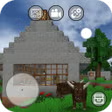
Overview & Technical Summary
A free Minecraft copycat on mobile
Mini Block Craft
is a free
simulation
video game wherein you can create unique worlds and try to survive in them. Developed by Build Block Studio, this 3D pixelated sandbox game offers
a vast open and blocky world
you can explore and conquer.
Top Recommended Alternative
World of Warships
Ad
Free
4
Mini Block Craft 2
Free
4.2
Highly similar to
Minecraft
, Mini Block Craft can be considered a
copycat game
but it does have several key differences from the aforementioned game. One is that this is completely free—but
doesn’t offer a multiplayer mode
. You can also choose
preset worlds
for both Creative and Survival modes if you’re feeling lazy.
What can you build in Mini Block Craft?
Minecraft
is a 2011
sandbox
video game first created by Markus "Notch" Persson and eventually developed by Mojang Studios. Its gameplay offers a pixelated
procedurally-generated 3D world
you can freely explore and you can challenge two game modes: Survival and Creative. You can either try to survive for as long as possible in Survival Mode or freely craft buildings and statues in Creative Mode.
Due to its success as one of the best-selling video games around, numerous similar-looking games cropped up—and they all vary in fame and success. One of these is Mini Block Craft, which disclaims that it isn’t associated with Minecraft or even
Minecraft Pocket Edition
. One of the many ways it’s different is that it’s completely free—however, you should
expect ads to constantly play
when you close your inventory.
Graphics-wise, it looks the same as Minecraft when it comes to the blocky world. The models for your character and any creature are
more natural-looking
, though. The gameplay is mostly the same, as well—since you can build almost anything—but it
doesn’t have a tutorial
so new players unfamiliar with Minecraft will have to experiment on their own. Additionally, the touchscreen controls can be
a little wonky
.
Not bad for an alternative
All in all, Mini Block Craft is a great alternative if you want to play a Minecraft-like game on mobile but would like it to be free. While the downside to that is
constant ads
and
lack of some features
, the creative potential of the game itself is comparable to its competitors and can be a great introduction to players who’ve yet to play this type of game.